

Dedicated Blockchain Node: What It Is, Who Needs It, and How to Deploy One in Minutes

Deen Newman
March 9, 2026
10 min read
In the blockchain infrastructure space, dedicated nodes are the accepted, go-to solution that serious protocols, platforms, and trading systems are built on. It’s not an exotic or niche option, but a private blockchain node configured and ordered without a sales call is genuinely uncommon in the RPC provider space.
Enter GetBlock. Every setting – node type, deployment region, client, performance, and integrations – is made directly in your dashboard. You place the order yourself via the configurator. The node deploys within 1-3 days.
This guide walks through exactly how GetBlock's configurator works: what you can customize, what each decision means, and what you get when your node is live.
How to deploy a Dedicated Node with GetBlock: Step-by-step
You’ll find the configurator in your GetBlock account – Dedicated Nodes dashboard:
Click Create new node
Choose your protocol, network, client, and node mode (full or archive)
Select node’s physical location – Frankfurt (Germany), New York (USA), Singapore
Set your performance tier – Standard or High
Review available add-ons and enable what you need
Select subscription duration (1, 6, or 12 months)
Confirm the order
The sections below cover each decision in detail – what the options are, what they affect, and how to choose.
Prefer to talk through your requirements before committing? GetBlock's infrastructure team works directly with every dedicated node customer. If you'd simply rather spec the node in a conversation than a dashboard, talk to the GetBlock team.
What is a Dedicated blockchain node?
A dedicated node is a managed blockchain infrastructure where a node (or a cluster of nodes) is deployed and maintained by an RPC provider for a customer or organization.
At GetBlock, this type of node is built to your spec, while deployment, monitoring, and incident response are handled by GetBlock's engineering team.
Shared vs dedicated nodes
The alternative to dedicated nodes is the shared infrastructure, where users send RPC calls to a load balancer that distributes requests across a pool of nodes serving multiple customers simultaneously.
Rate limits and throughput caps are applied per account to keep the shared resource stable
The configurations are standardized
That model works well at a moderate scale, and GetBlock's scale to 1,000 RPS on Shared tiers.
Dedicated infrastructure removes all constraints – it is an isolated environment:
The machine's compute, storage, and network are statically allocated to one customer
RPC request maps directly to a single node process
Throughput is bounded by hardware capacity only
Configuration is highly customizable
The closest analogy in traditional infrastructure terms is the difference between a shared hosting environment and a bare-metal or dedicated virtual server.
| Shared Node | Dedicated Node |
Infrastructure | Pooled fleet, shared | Single-tenant, private |
Throughput | Rate-limited per account | Unlimited (hardware-bounded) |
Customization | API interface, Deployment region, Archive access | Node client, Mode, Hosting, Performance tier, Add-ons & more |
Pricing | Tiered plans | Fixed monthly fee |
Setup time | Instant | 1–3 business days |
Who Dedicated Nodes are built for
GetBlock's dedicated node offering is designed for teams where the underlying blockchain infrastructure is a core operational dependency.
DeFi protocols and trading infrastructure
For teams running DEXs, AMMs, liquidation bots, arbitrage systems, or any application where transaction ordering has direct financial consequences, dedicated nodes provide the throughput and latency consistency. GetBlock also supports chain-specific enhancements, such as optimized transaction landing, data streaming, and infrastructure-level MEV protection that this category of application requires.
Institutional platforms
Exchanges, custodians, funds, and compliance-heavy platforms often need private infrastructure for security and audit reasons. A dedicated node is an isolated environment with a 99.9%+ uptime SLA, which is a different conversation to have with a compliance team.
Infrastructure and middleware builders
If your product sits between the blockchain and users, like RPC aggregators, indexers, data pipelines, developer tools, or node-as-a-service offerings, you can’t afford rate limits. Dedicated nodes with contractual uptime guarantees are the foundation for delivering reliable services.
Wallets and dApps operating at scale
A wallet with tens of thousands of active users submitting transactions simultaneously, or a popular dApp during a mint event, will exhaust shared node capacity quickly. Dedicated nodes remove that ceiling and ensure user-facing transaction submissions don't get throttled at peak load.
Not sure if you need a dedicated node yet? GetBlock's shared node plans scale up to 1,000+ RPS on Enterprise tiers. See all available RPC products and start there. Dedicated nodes will still be waiting when you need them.
What is GetBlock's Dedicated Node configurator?
GetBlock's Configurator is a dashboard tool that puts the entire Dedicated Node customization and ordering process in your hands.
You define the deployment parameters: chain and network, client implementation, state retention, performance profile, deployment region, external integrations
When all settings match your requirements, you place the order directly
Pricing is transparent - no sales call required
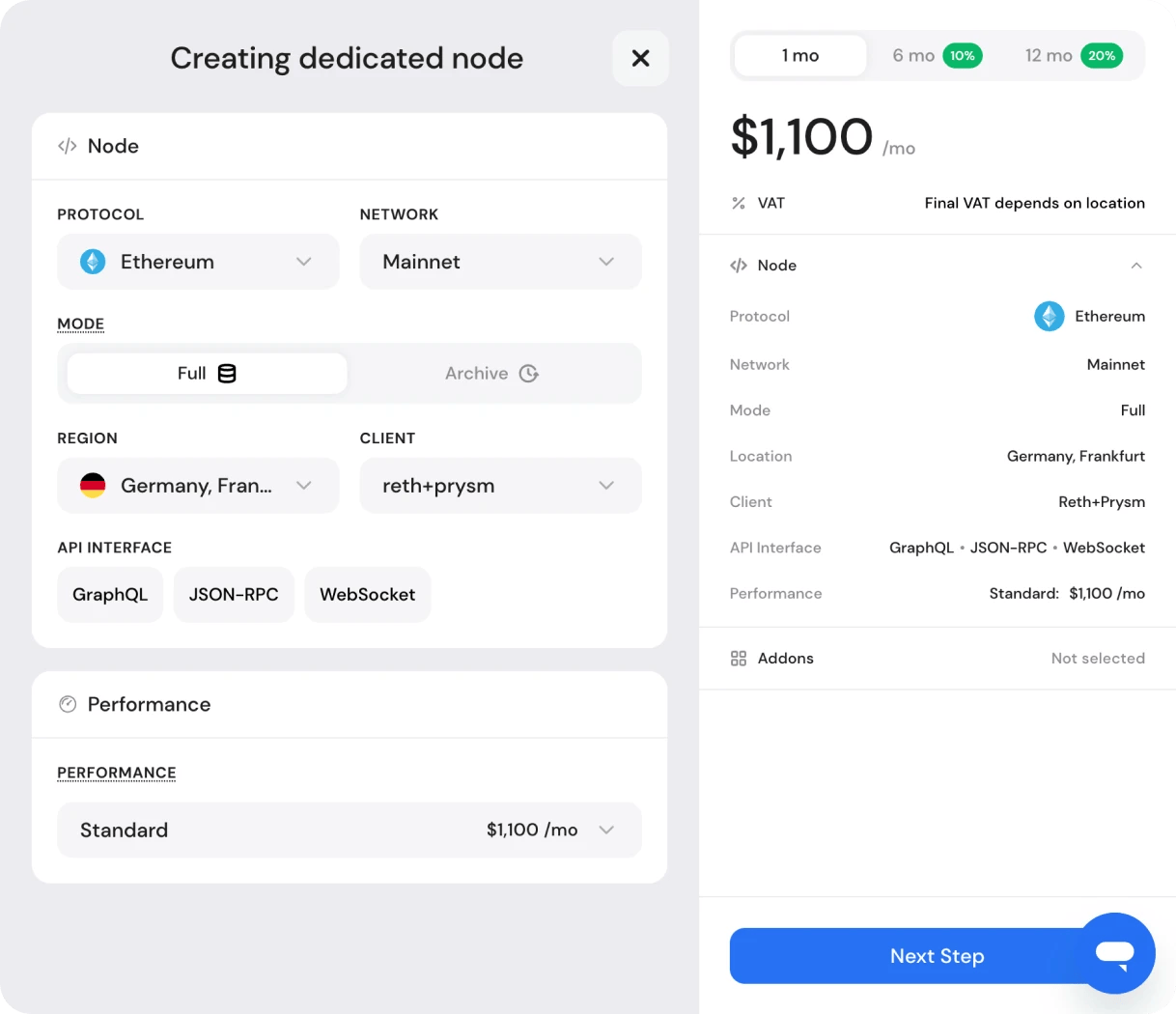
Note that the configurator covers the most standard configurations for each supported chain. If your requirements go beyond that – custom client patches, non-standard interfaces, multi-region deployments, or any bespoke setup – contact us directly.
What you configure and why it matters
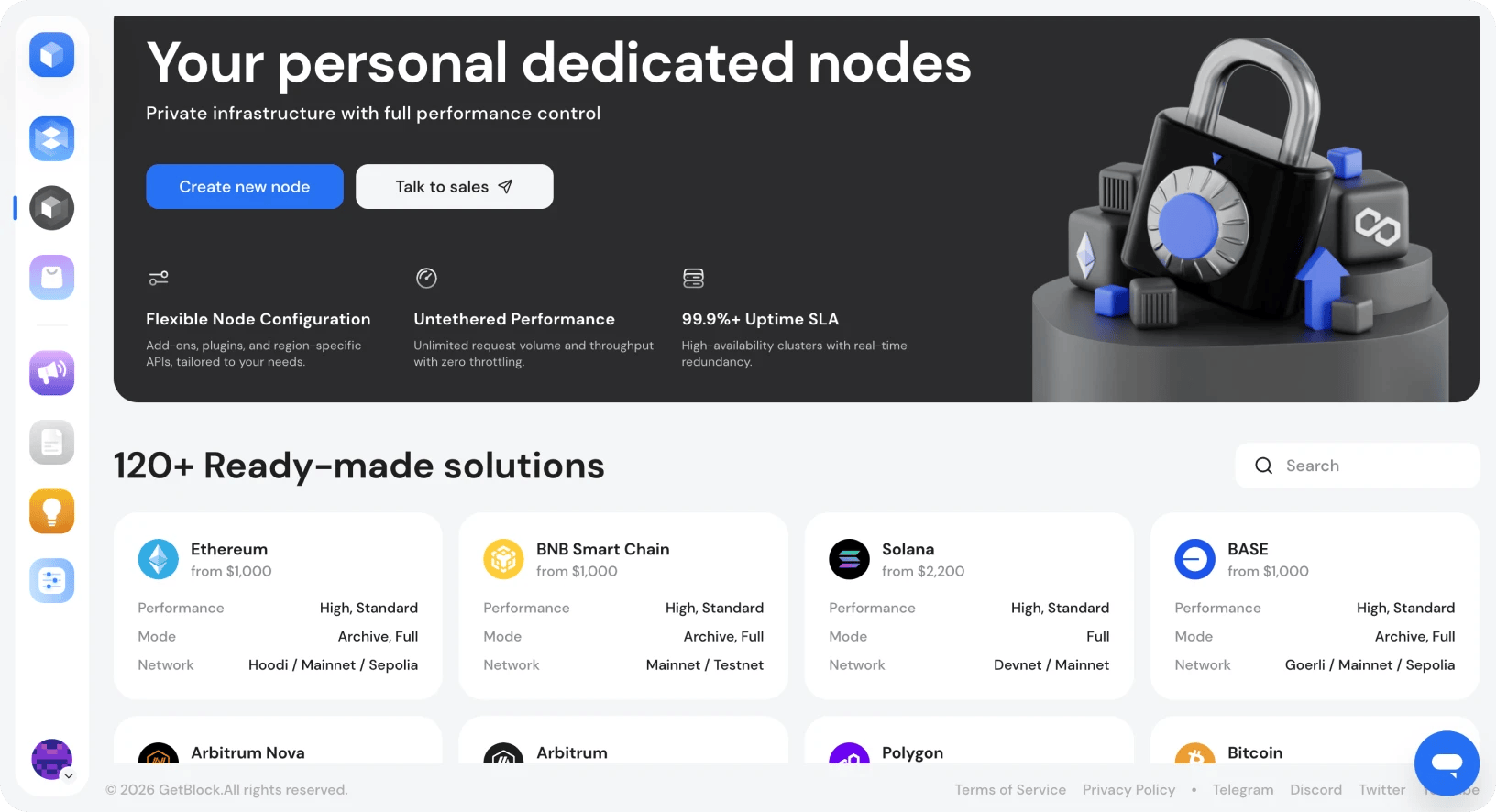
Log in to the GetBlock account and open the Dedicated Nodes tab. The page shows supported chains with available performance tiers, modes, and networks displayed on the card. Pricing is shown as a starting point; the configurator builds the final price from your choices.
Click Create New Node to open the configurator.
1. Protocol and Network
Select the chain and network you're deploying for. The protocol choice defines everything else in the configurator. Available modes, clients, performance tiers, and add-ons are all specific to the chain you select. For most major chains, mainnet and relevant testnets are available.
GetBlock supports over 120 protocols for private node deployments. If the chain isn't in the list, it doesn't mean it's unsupported. GetBlock's engineering team handles custom deployments on request.
2. Node Mode: Full or Archive
For most production DeFi and trading applications, full mode is sufficient: current balances, live contract state, transaction submission and simulation.
Archive mode is the right choice when your application needs to reconstruct historical state: analytics platforms, indexers, forensic or compliance tooling, and any application that queries data at arbitrary block heights.
Archive mode comes with increased infrastructure requirements compared with full mode, which is reflected in the higher price
3. Deployment Region
Your node is physically deployed in the data center you select:
New York (US East)
Frankfurt (EU Central)
Singapore (Asia-Pacific)
Why it matters? The latency that affects your application's performance is the round-trip between your backend and the node. For latency-sensitive workloads like high-frequency queries, real-time price feeds, transaction simulation pipelines, co-locating your infrastructure with the node location is one of the most impactful optimizations available at the infrastructure layer.
4. Node Client
For chains with multiple client implementations, you choose which client runs your dedicated node.
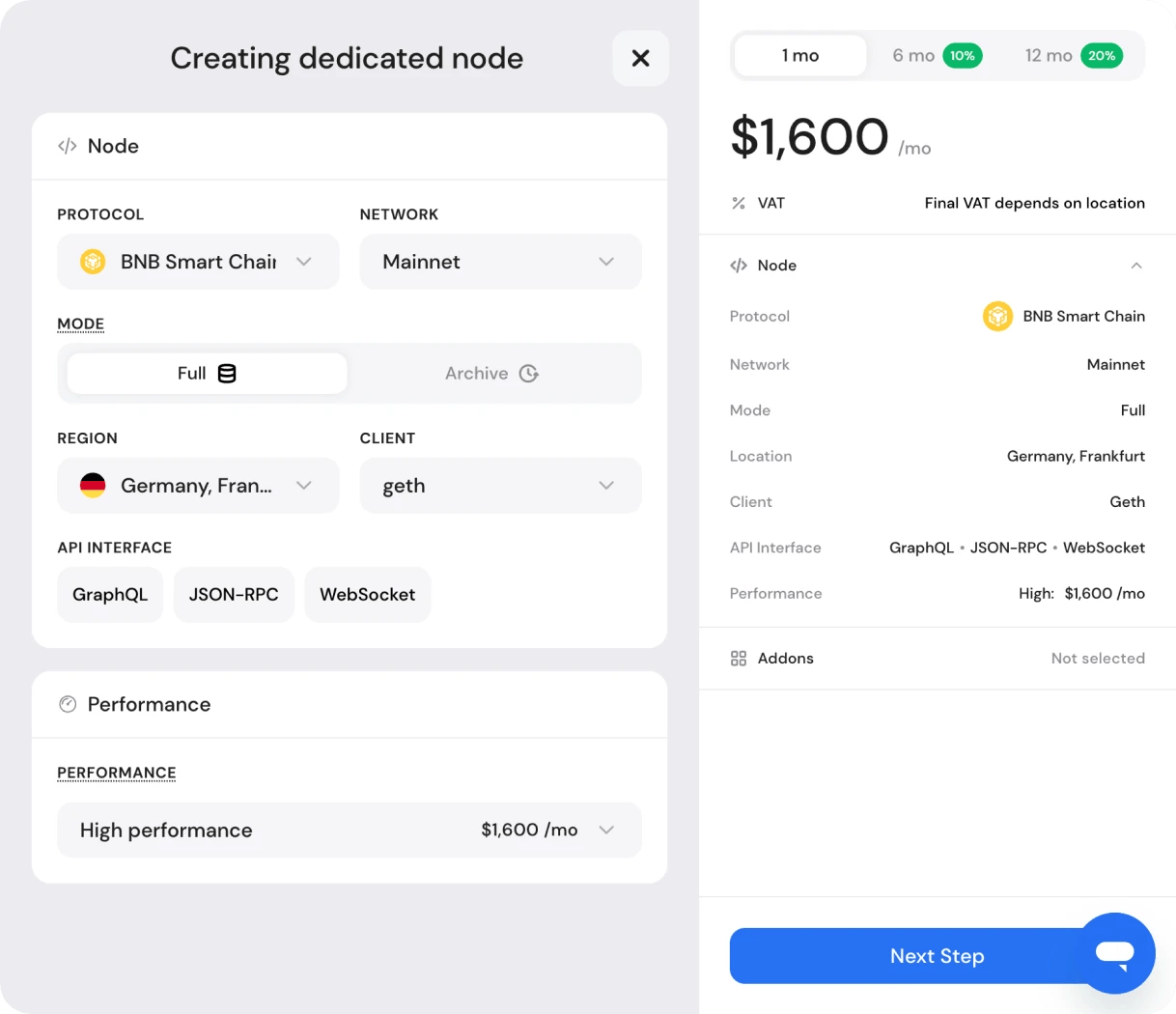
Ethereum deployments, for example, offer Teku + Geth or Reth + Prysm as a consensus and execution client pair. Nethermind is also available as an execution client; Erigon is another option for archive Ethereum nodes. BNB Smart Chain offers Geth and Reth.
Client selection matters for teams with client-specific dependencies. The ability to specify the client is a level of control that dedicated infrastructure exists to provide.
5. Performance Tier
Two hardware profiles are available:
High: Upgraded hardware profile with higher sustained throughput capacity and improved availability under heavy concurrent load.
Standard: Production-grade hardware suitable for most dedicated node use cases. Lower price point.
For most teams moving from shared to dedicated infrastructure, Standard is the natural starting point. High Performance is the right choice when your workload profile demands it: high-frequency trading systems, applications with consistently heavy concurrent request volumes, or any use case where the highest level of node performance is needed.
6. API Interfaces – All included
Every API interface GetBlock supports for your selected chain is included with your dedicated node — JSON-RPC, WebSocket, GraphQL, gRPC, etc. There's no plan gate to unlock specific protocols.
After your node is deployed, you can generate multiple endpoints per interface at any time without reconfiguring the node.
Add-ons: Extending your node's capabilities
The second screen in the configurator shows available add-ons for your chain. These extend your node beyond baseline functionality.
Certain add-ons are available at no additional cost with your dedicated node
Paid add-ons are chain-specific and priced transparently in the configurator
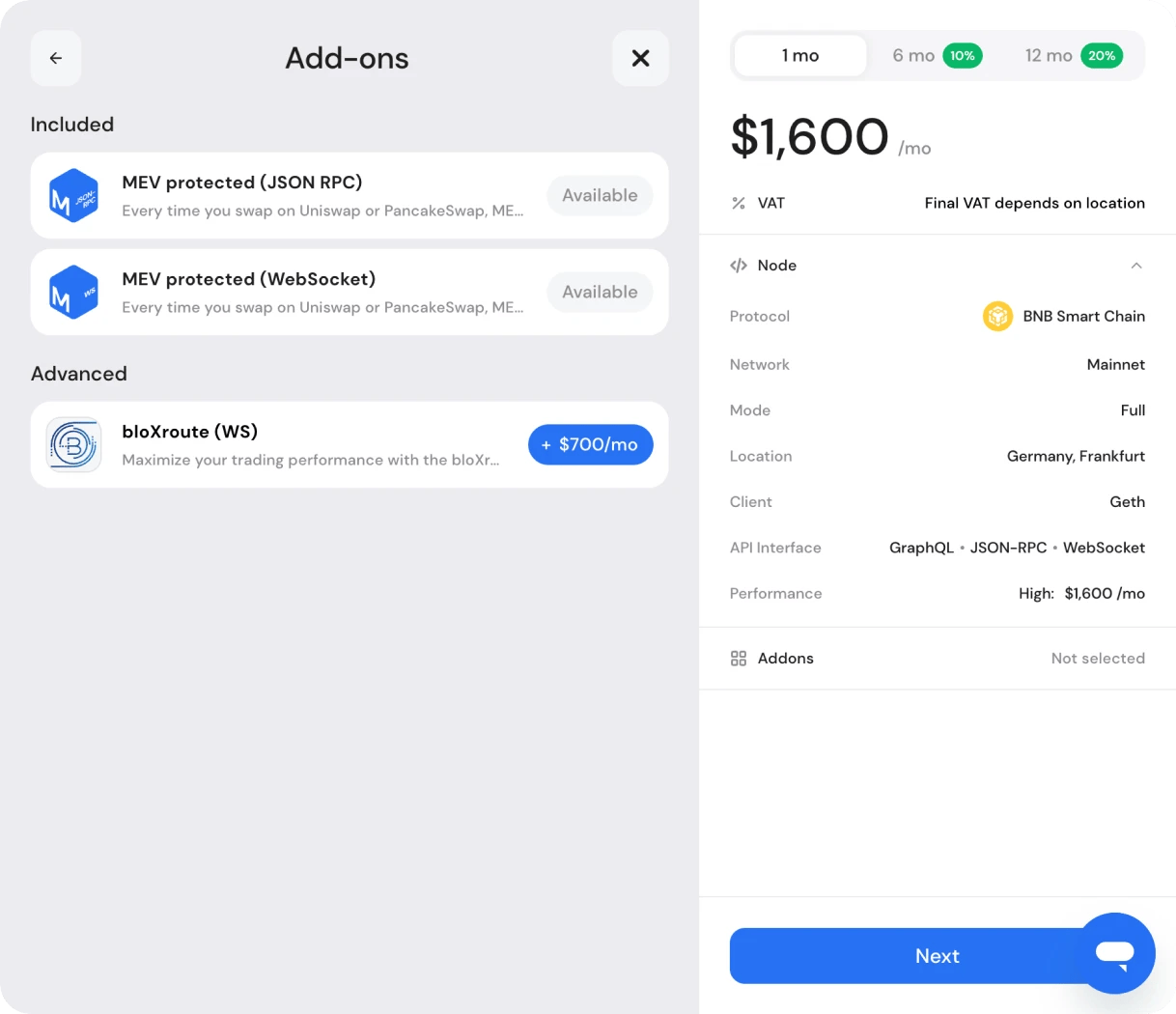
For BNB Smart Chain, for example, MEV Protected JSON-RPC and WebSocket endpoints are included. These route your transactions through private channels rather than the public mempool, protecting against front-running and sandwich attacks.
bloXroute (WS) is available as a paid add-on. When enabled, the bloXroute’s Gateway software is deployed alongside your node. By forwarding blocks and transactions over private dedicated relay paths, BDN ensures your node sees new blocks and mempool updates earlier than regular RPC nodes (sub-ms subscribe latency) and delivers transactions to validators ~100-170 ms faster than the public mempool.
Checkout: Transparent pricing, discounts, and payments
The final screen shows your complete order summary before payment: every configuration choice, every add-on, and the full monthly price. Review it in full. What you see here is exactly what deploys.
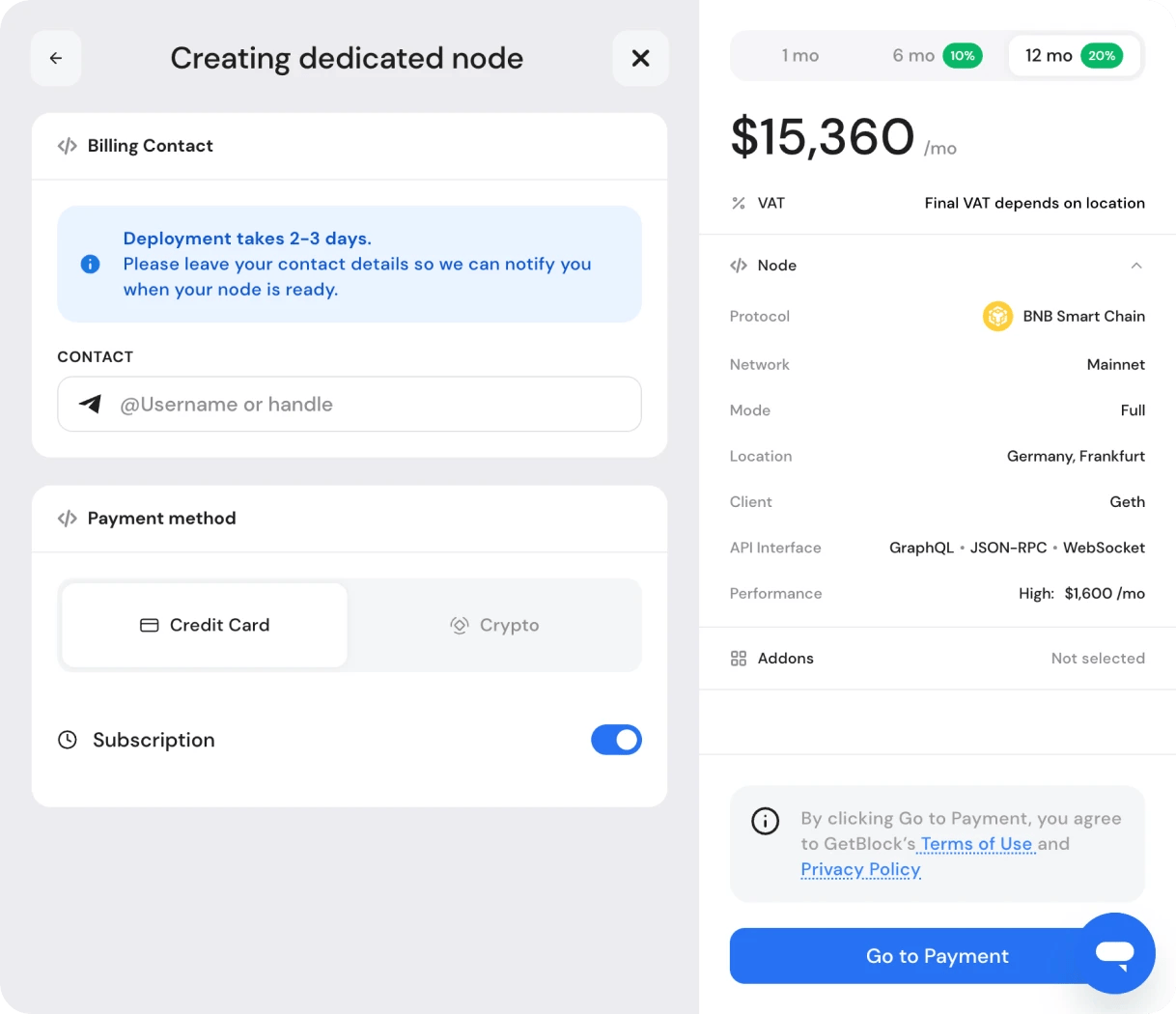
Total costs are reflected in the live order summary before checkout.
Subscription duration and discounts
Choose your billing period:
1 month
6 months (10% discount)
12 months (20% discount)
The discount applies automatically. For instance, a 12-month plan for BNB Smart Chain full node with the High Performance configuration reduces annual costs by $3,840 compared with monthly billing.
Payment
Credit card and crypto are both supported at checkout. Auto-renewal is available via the Subscription toggle and can be enabled or disabled before confirming the order.
Leave your contact details at checkout – GetBlock will notify you when your node is ready. Deployment typically takes 1–3 days.
Post-deployment: Node management
Once your node is live, it appears in your Dedicated Nodes dashboard alongside any other nodes you're running. Each node has three management tabs.
Endpoints
Every active endpoint URL for your node is listed here. To add endpoints:
Press “Get Endpoint”
Select the API interface or add-on
New URLs will appear in the list
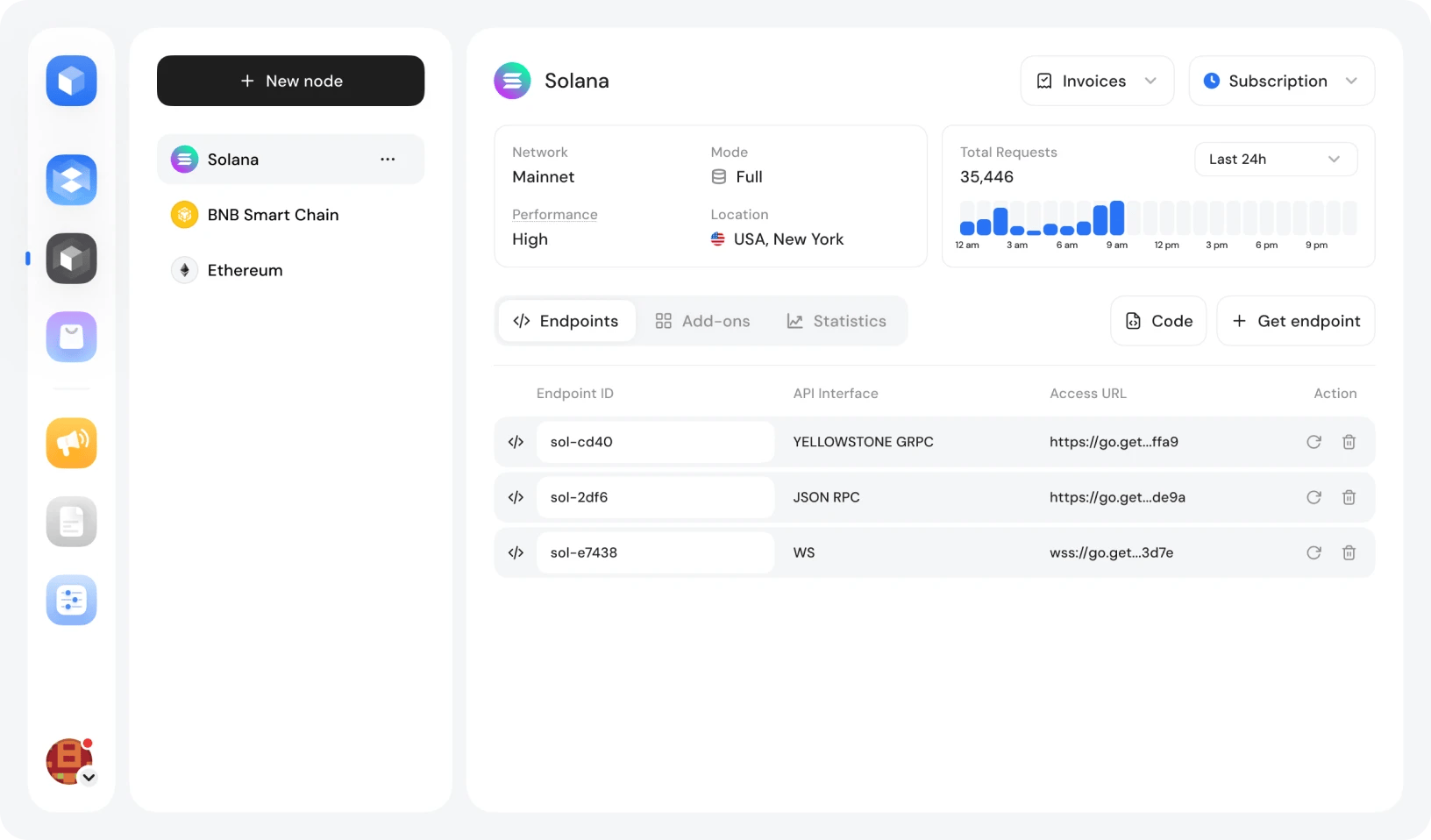
Copy the endpoint URL directly or use the Code button to export your full configuration in JSON or JavaScript format for integration into your codebase or tooling.
Add-ons
Add-ons can be managed from their dedicated tab:
Browse available add-ons supported for your node
Enable or disable add-ons as needed
Create endpoints associated with add-ons
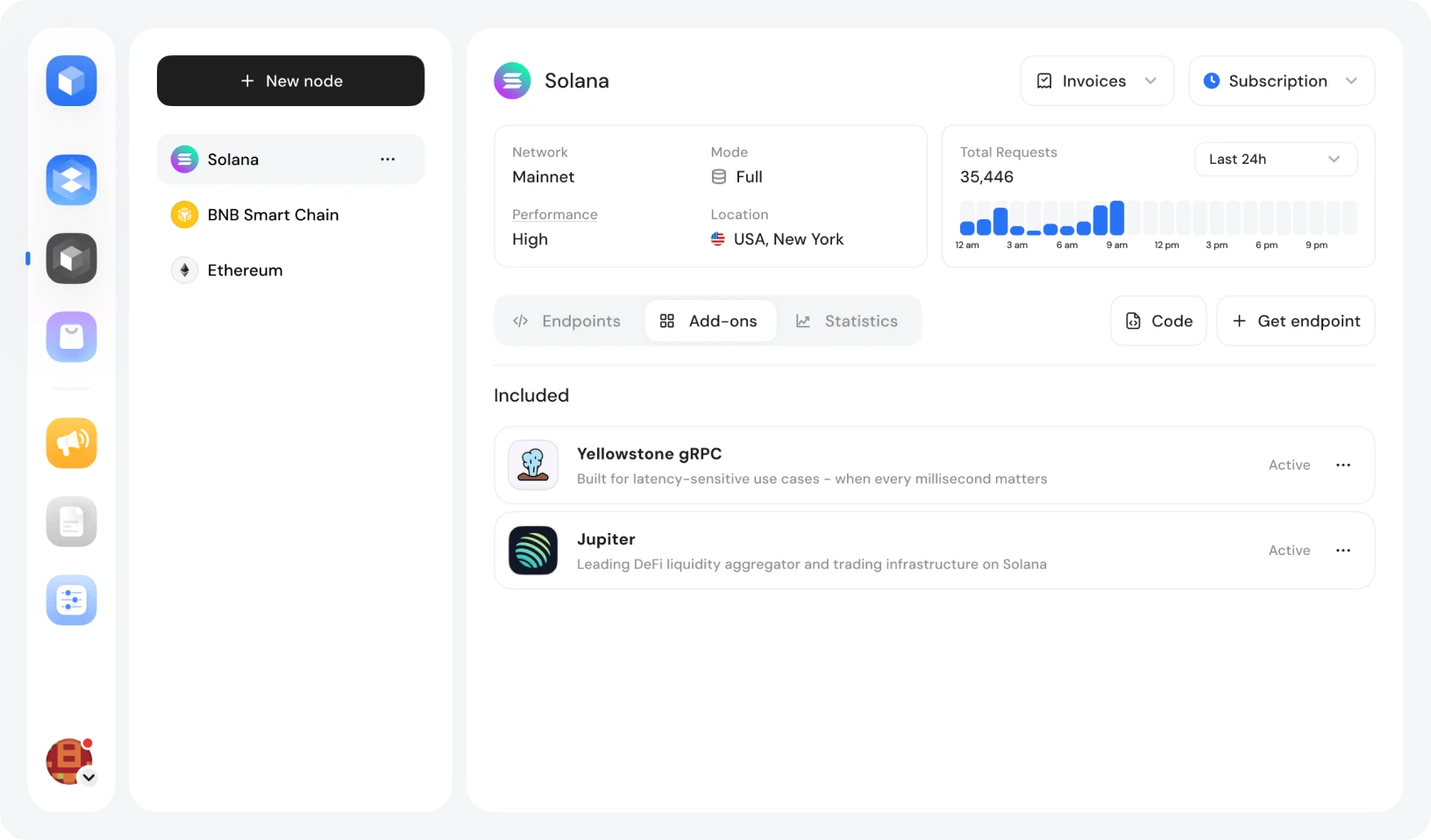
You can manage add-ons independently of the rest of your node configuration.
Statistics
The statistics tab provides the visibility you need to monitor performance, validate throughput, request volume, and usage data with configurable time ranges.
The case for self-serve Dedicated Node infrastructure
For DeFi protocols, trading infrastructure, institutional platforms, on-chain middleware, and decentralized applications operating at scale, dedicated blockchain nodes are the standard solution.
The problem has always been procurement: dedicated nodes typically require a custom scoping process, a sales conversation, and a quote that may or may not reflect what you actually need.
GetBlock changes that.
GetBlock's configurator puts infrastructure decisions directly in customer hands
Every configuration variable is explicit
Pricing is transparent at every step
The order is yours to place when you're ready
If your requirements go beyond what the configurator covers, the same dashboard offers a direct line to GetBlock's team for custom scoping.
Private blockchain infrastructure, configured to your spec in a few minutes - start in the dashboard. If your setup needs a conversation before it needs a configurator - talk to the team.


Popular Posts

June 9, 2021
4 min read

November 9, 2021
5 min read

May 24, 2022
5 min read

March 18, 2021
4 min read


