

Best Solana Wallet in 2026: Top Secure Options Reviewed

Vance Wood
March 25, 2026
10 min read
Solana is among the leading blockchains by usage, second only to Ethereum, and GetBlock is taking the place among the leading Solana RPC node providers. Here, let’s explore top Solana wallets, such as Phantom, Solflare, and others, to understand in which cases each of them performs best.
Quick overview: Top Solana wallets
Solana wallets serve as the interface for quick and easy accessing of funds which are secured onchain. The wallet holds your private key: a cryptographic credential that proves ownership and authorizes transactions. Anyone can query your balance from the blockchain using your public address, but only those who know your private address can access these funds and change the balance. That’s why your private key should NEVER be shared with anyone.
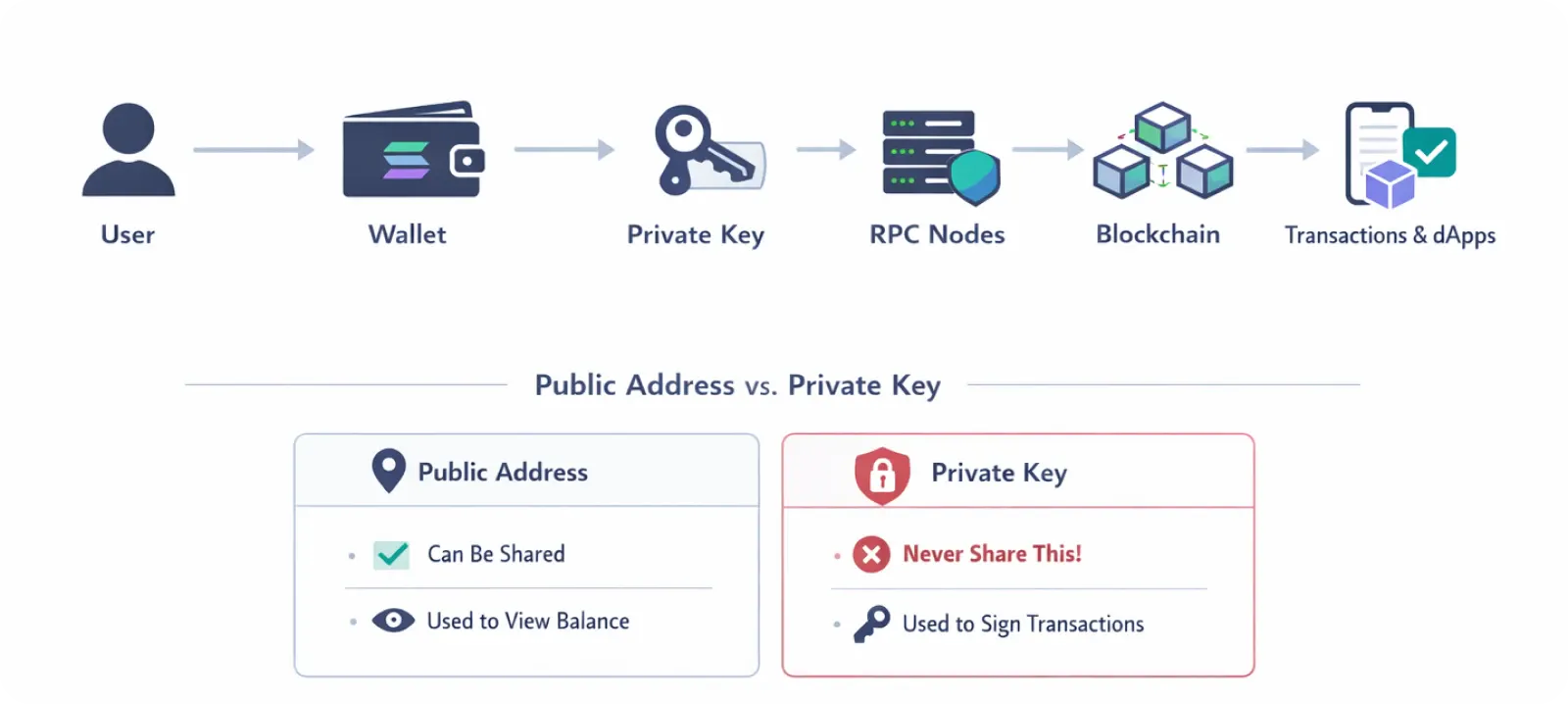
The wallet’s purpose is to provide a convenient user interface. Instead of manually crafting raw transactions or interacting with the Solana Virtual Machine directly, the wallet handles key management, transaction signing, and dApp connectivity in a few taps, ensuring fast and efficient transactions, staking, and easy NFT holding. It is your gateway to Solana that allows you to get the most of it, while keeping you in full control of your assets via self-custodial access.
Best Solana wallet for different use cases
Here, we’ll overview four Solana wallets, each of which is better than others for its specific tasks. Let’s look closer to see which wallet suits which purpose, and select the Solana wallet according to that.
Best for beginners: Phantom
Phantom is the most popular Solana-native hot wallet, with 15M+ users making it the dominant choice in the ecosystem. Originally built for Solana, it has since expanded to support Bitcoin, Ethereum, Base, Sui, and Monad from a single interface. Generally, it’s the best wallet for those starting with Solana, as it offers a simple interface and supports additional popular chains.
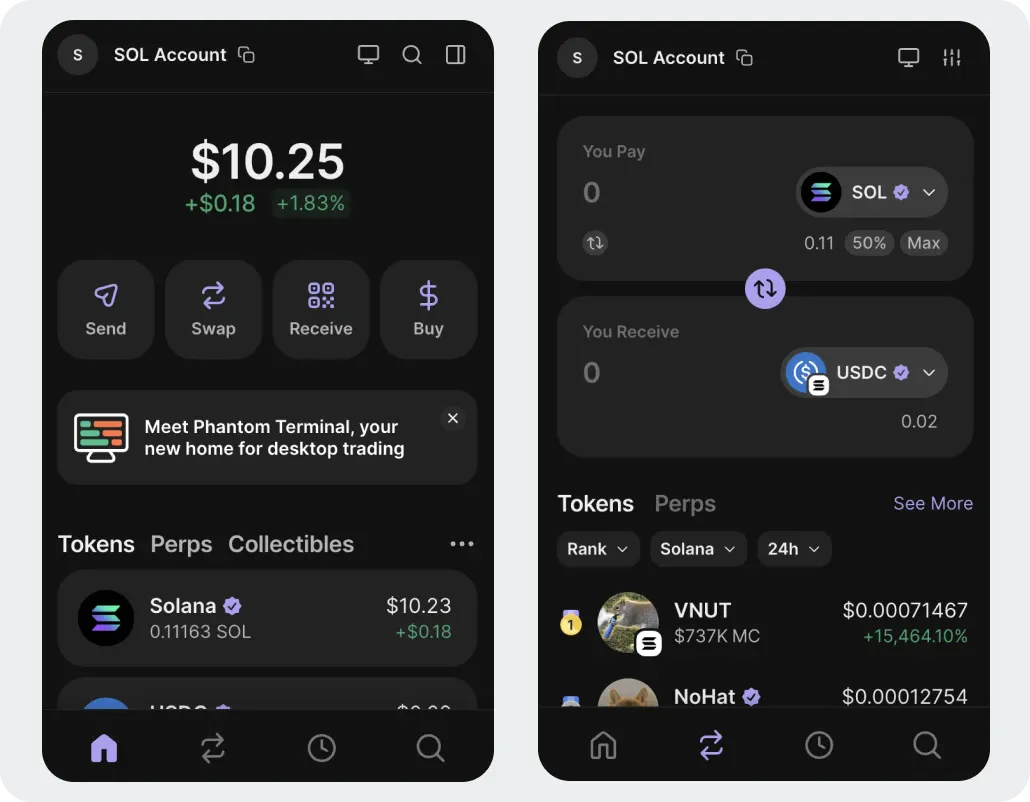
It offers the following features for Solana users:
Built-in swap with a 0.85% wallet fee, powered by Jupiter routing
Crosschain Swapper to bridge assets between blockchains
Phantom Terminal with trading interface
Transaction simulation to preview outcomes and flags risky contract interactions
Social features with 2.5M+ Phantom usernames
Hardware wallet support for Ledger
Phantom users can follow each other to track trades and discover trending tokens, while its swap, bridge, and security features make its usage highly convenient. It’s a good solution for Web3 enthusiasts who explore Solana and its features.
Best for NFT users: Solflare
Solflare is the oldest Solana-specific wallet, launched in 2020. It manages over $15B in assets across 3M+ active users and has robust NFT and token management features.
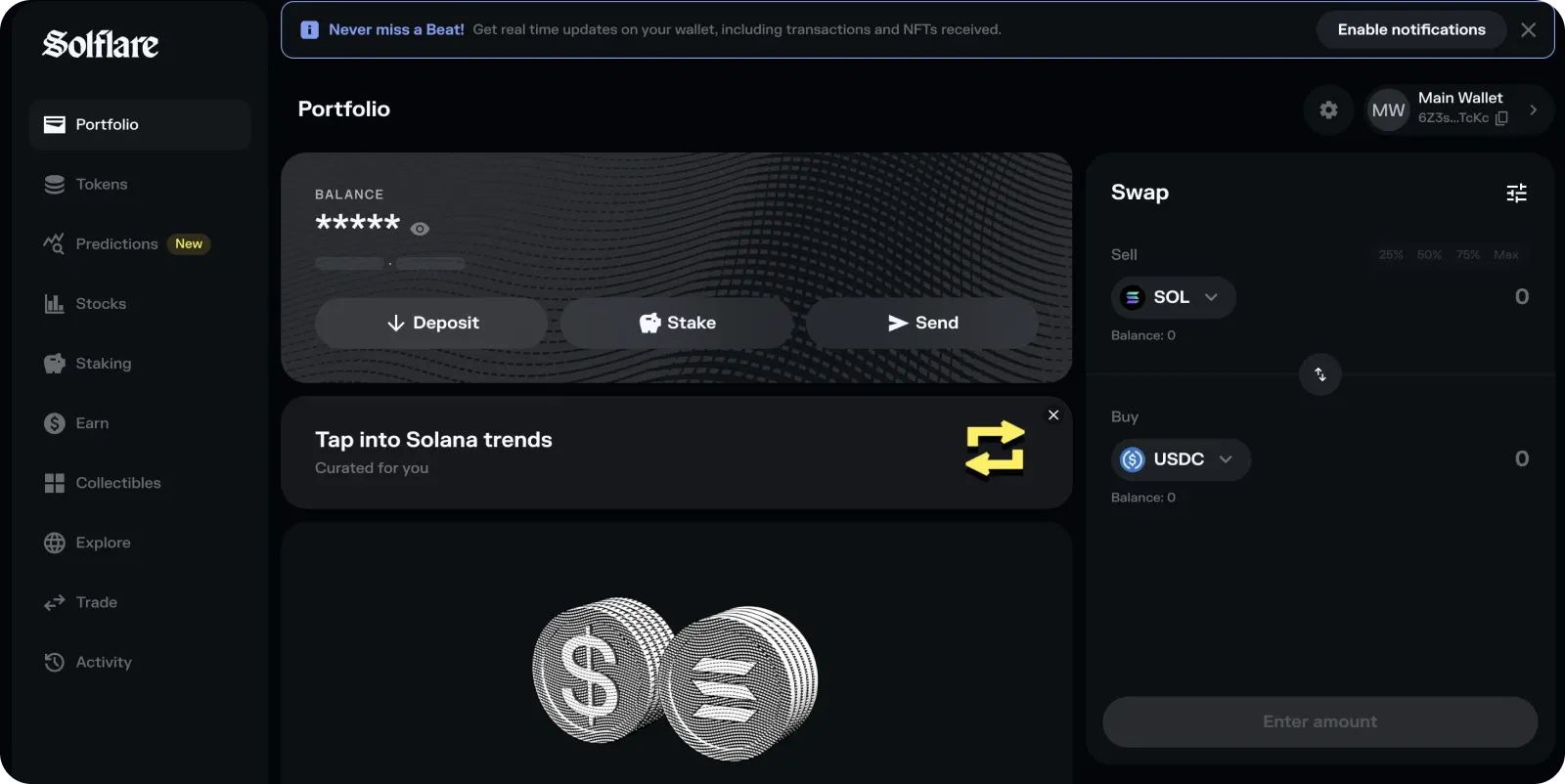
It’s the best choice for more experienced users who prioritize Solana in trading and holding its tokens, as well as for Solana Web3 developers. For them, it offers robust features:
Native SOL staking with ~6.7% APY, rewards distributed every ~2–3 days (per Solana epoch), with full validator dashboard visibility
Jupiter-powered swaps with TradingView candlestick charts and slippage controls
Dedicated NFT dashboard with bulk actions, floor price views, metadata display, and marketplace integrations
Hardware wallet support for Ledger and Keystone
Isolated "hot wallet" sub-wallet feature for safely testing new DApps without exposing main holdings
Solflare Guards provide real-time threat detection, blacklist updates, coin credibility checks, and 24/7 human support
Solflare is Solana-exclusive and deeply optimized for on-chain Solana activity. It’s highly recommended for Solana holders, traders, NFT holders, and developers who will acknowledge its staking, swapping, and security features.
Best hardware wallet: Ledger
Ledger is a cold storage hardware wallet: a physical device that keeps private keys entirely offline, making it the gold standard for long-term security. Among hardware wallets, Ledger is known for its multichain support, robust security, and a variety of features.
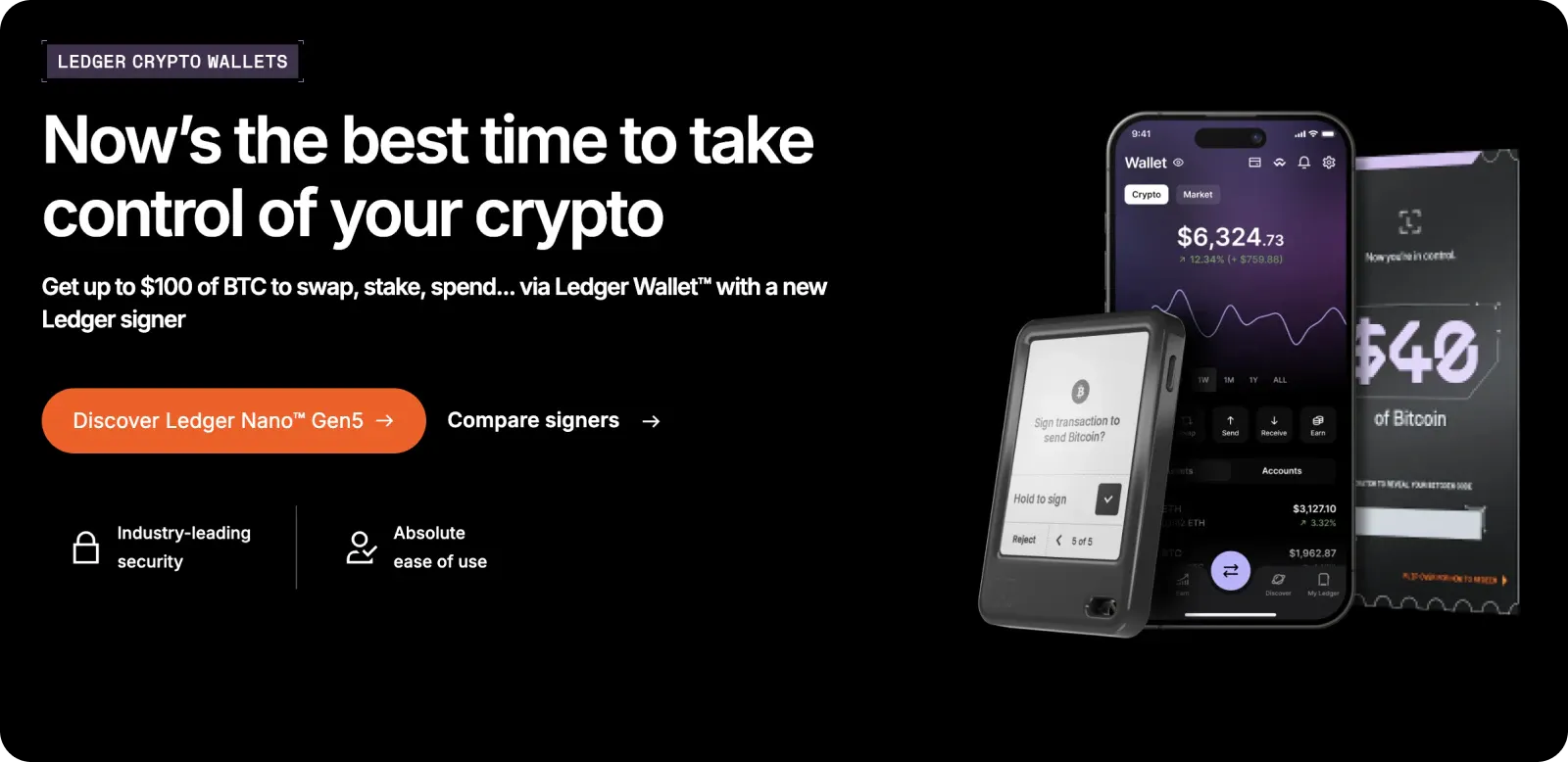
Supported models for Solana include the Nano S Plus, Nano X, Flex, and Stax, while key features in Solana’s context are:
It runs a dedicated Solana app on-device that must be opened to sign transactions
It supports public key queries, transaction parsing, display, and signing
It integrates seamlessly as a signer with both Phantom and Solflare
Its physical confirmation button is required on-device for every transaction
It does not connect to the internet, immune to malware, phishing, and remote exploits
The recommended practice is to pair Ledger with a hot wallet like Phantom or Solflare to keep the bulk of assets in the hardware wallet and use the hot wallet for day-to-day dApp interactions. The hardware wallet usage is highly recommended for users who own at least $10,000 in crypto.
Best mobile wallet app
Trust Wallet is a multi-chain, non-custodial mobile wallet owned by Binance, designed as an all-in-one solution across dozens of blockchains including Solana. It is best suited for users who manage assets across many networks and want a single app for that, without a specific focus on Solana but with a full integration with it.
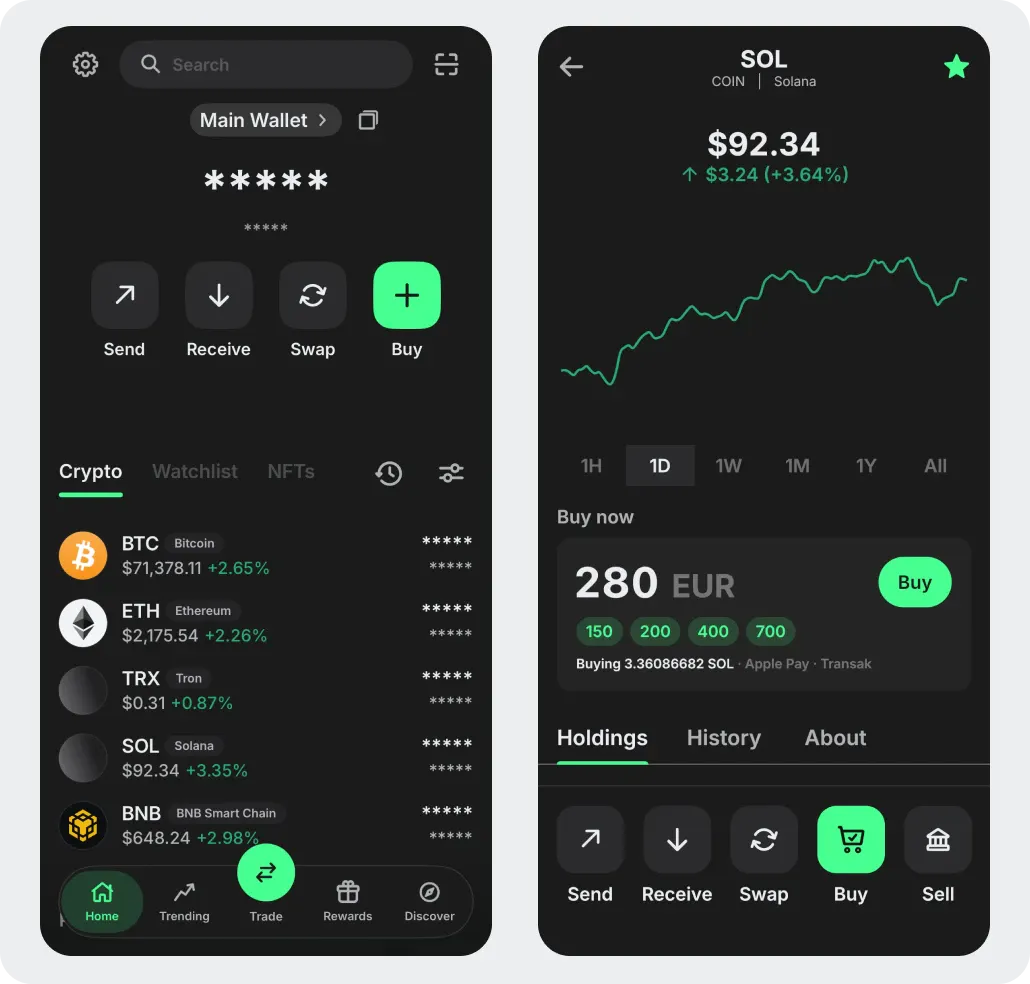
Its Solana-specific features include:
Native SOL, all SPL tokens, and Solana NFTs support
SOL staking directly within the app
Built-in dApp browser for accessing DeFi protocols, DEXs, and other apps
WalletConnect and browser extension connectivity for dApp interaction
Fiat on-ramp buy SOL in-wallet by comparing offers from multiple integrated providers
Supports viewing, sending, and receiving Solana NFTs with marketplace connectivity
Trust Wallet supports 100+ blockchains, but its Solana integration is not as deeply optimized as Phantom or Solflare. It’s a good option for casual crypto users who don’t actively interact with Solana in trading or Web3 development and just want to send and receive payments.
How to choose the right Solana wallet
Below is a summary table of all wallets, so one can compare them and select the one best suited for one’s purposes.
Feature | Phantom | Solflare | Ledger | Trust Wallet |
Type | Hot wallet | Hot wallet | Hardware (cold) | Hot wallet (mobile) |
Solana-native | Yes | Yes | Via companion app | No (multi-chain) |
Chains supported | SOL, ETH, BTC, Base, Sui, Polygon, Monad, HyperEVM | Solana only | 300+ chains | 100+ chains |
SOL staking | Yes | Yes (~6.7% APY) | Via companion app | Yes |
Built-in swap | Yes (Jupiter, 0.85% fee) | Yes (Jupiter) | No | Yes |
NFT support | Yes (basic) | Yes (advanced) | Signing only | Yes (basic) |
Platforms | Browser + mobile | Web + browser + mobile | Physical device | Browser + mobile |
Security model | Non-custodial | Non-custodial | Air-gapped keys | Non-custodial |
Best for | Basic Solana interactions | Solana power users + staking | Long-term cold storage | Multi-chain mobile users |
Before wrapping the article up, let’s explore basic security tips for Solana wallet management and revisit how to set it up.
How to set up a wallet
Usually, setting up a Solana wallet is easy and includes the use of the seed phrase that secures your access. A seed phrase is connected with a private key, so you must never share it with anyone, too. The algorithm is as follows:
Install the wallet: Download the official browser extension or mobile app from the wallet's verified website. Make sure to avoid impersonation scams!
Choose Create New Wallet or retrieve an existing one using a seed phrase.
Generate a seed phrase: The wallet cryptographically generates a unique 12- or 24-word recovery phrase that derives your private key.
Back up the seed phrase: Write it down on paper in exact order. It’s not recommended to screenshot or store it digitally, as it is the sole way to access your wallet.
Set a local password or PIN to secure app access on your device. Optionally, enable biometric login (Face ID / fingerprint)
Receive your public wallet address (a Base58 string), which can be used to receive SOL and SPL tokens
Fund the wallet by transferring SOL from an exchange or another wallet to your new address to begin using dApps, staking, or swapping
In case of a hardware wallet , such as Ledger, the setup will be different:
Initialize the Ledger device: Power it on, set a PIN, and generate (or restore) your 24-word seed phrase via the on-device setup wizard
Install Ledger Live: Download the official desktop or mobile app
Install the Solana app in Ledger Live
Update firmware and the Solana app to avoid signing failures
Open the Solana app on the Ledger screen; it must display "Application is ready"
Enable Blind Signing inside the Solana app’s settings on the device. This is required to interact with SPL tokens and smart contracts
Solana wallet usage requires diligence to ensure that no funds will be tricked away from you, so let’s focus on security now.
Security tips for crypto wallets
Here are several security tips:
Guard your seed phrase offline and remember that no legitimate service will ever request it.
Verify every URL and source, as scammers clone official wallet sites pixel-perfectly. Always type URLs manually or use bookmarks and never click wallet links from social media DMs.
Revoke unused dApp permissions using tools like Phantom's connected apps manager or Revoke.cash to prevent potential problems.
Simulate transactions before signing using wallets with built-in transaction preview (Phantom, Solflare Guards) to check what a transaction will do before approving.
Use a dedicated "burner" wallet with minimum funds for risky interactions, while keeping the bulk of funds in a cold main wallet
Protect device access with strong authentication such as biometric login and strong local wallet password. Keep your OS and wallet app updated to patch known exploits.
Following these tips, you’ll reduce the risk of losing your funds significantly and improve your Solana experience.
Wrapping up
Choosing the right Solana wallet comes down to your priorities. Phantom excels for beginners and multi-chain users, Solflare for power users and NFT holders, Ledger for maximum long-term security, while Trust Wallet is good for casual multi-chain mobile use. Pair any hot wallet with Ledger hardware for the strongest setup, follow the security tips above, and you'll be well-equipped to explore everything Solana has to offer.
Serious about Solana? Your wallet is only as fast as the RPC node behind it. GetBlock's Solana endpoints give you low-latency access to the network - useful if you're building scripts, running bots, or just tired of dropped transactions. Sign up to GetBlock and get connected to Solana blockchain in seconds.
FAQ
What is the best wallet for beginners?

Is Phantom safe to use?
Can I use MetaMask with Solana?
Hot vs cold wallet: What’s the difference?
How do I pick the right one for my needs?


Popular Posts

June 9, 2021
4 min read

November 9, 2021
5 min read

May 24, 2022
5 min read

March 18, 2021
4 min read


